
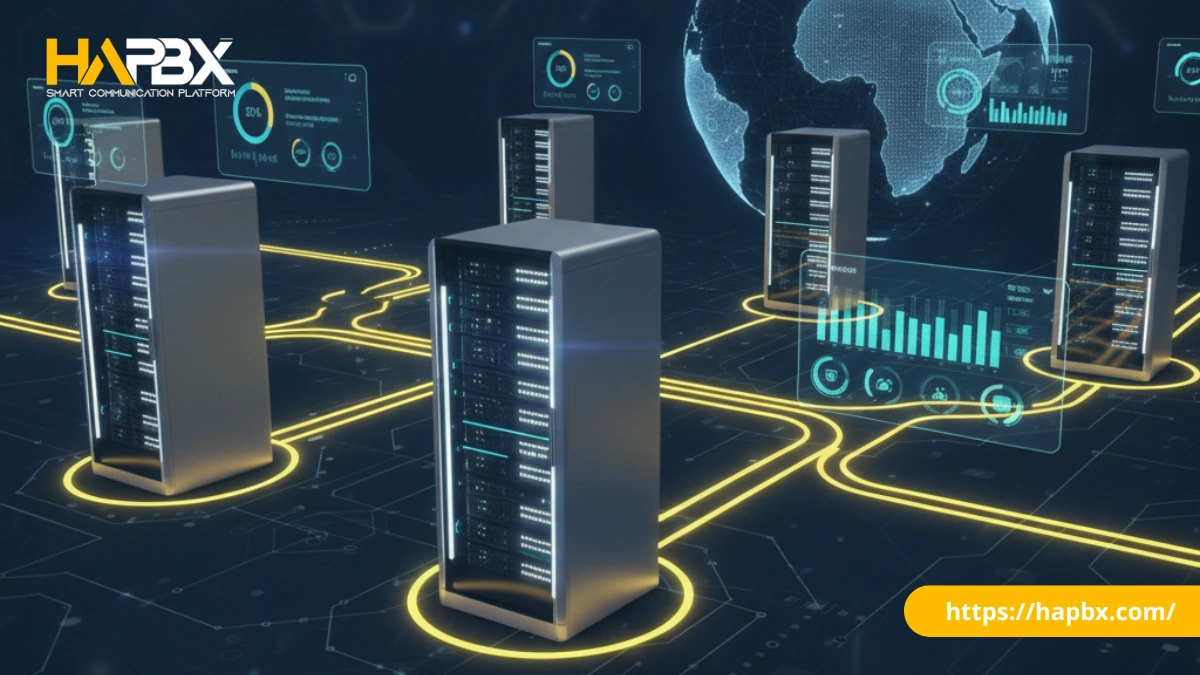
In the evolving world of Voice over IP (VoIP), businesses are constantly searching for platforms that offer better scalability, clearer audio, and advanced features. If you are researching enterprise telephony, you have undoubtedly encountered the term FreeSWITCH PBX—or advanced managed solutions powered by high-availability architectures, such as HAPBX.
Known as the “Swiss Army Knife” of telephony, the engine behind a FreeSWITCH PBX has become the backbone for many of the world’s largest communication platforms (including Zoom and Dialpad). But what makes it superior to traditional systems, and how can you deploy it effectively—whether by building it yourself or choosing a dedicated provider like HAPBX?
This guide covers everything you need to know about building or buying a FreeSWITCH PBX, from its core features and popular interfaces to the best deployment strategies for your specific needs.
What is FreeSWITCH PBX?
FreeSWITCH is not a “phone system” in the traditional sense; it is a softswitch (Software Switch). However, when configured to handle calls, extensions, and voicemails, it becomes a powerful FreeSWITCH PBX. Written in C, it serves as a highly scalable telephony engine designed to route voice, video, text, and media across various network protocols.
Unlike older monolithic systems, a FreeSWITCH PBX uses a modular, multi-threaded architecture. This means each call operates independently. If one complex call encounters an error, it doesn’t crash the entire system—a critical stability feature for enterprises and call centers handling thousands of concurrent connections.
Key Technical Features of FreeSWITCH PBX
Why are modern enterprises moving away from legacy systems like Asterisk in favor of FreeSWITCH PBX? The answer lies in its modern feature set:
1. High Concurrency & Stability
A robust FreeSWITCH PBX is built for volume. A single well-optimized server can handle thousands of concurrent calls (Channels) with minimal CPU load. This makes it the standard choice for wholesale carriers and large contact centers.
2. Native Multi-Tenancy
For Managed Service Providers (MSPs), a FreeSWITCH PBX is ideal because it supports multi-tenancy at the core level. You can host separate phone systems for “Company A” and “Company B” on the same server with complete data isolation (different domains, different user databases).
3. WebRTC Support
FreeSWITCH was an early adopter of WebRTC (Web Real-Time Communication). This allows users to make secure voice and video calls directly from a web browser without installing additional software—perfect for today’s hybrid and remote work environments.
4. Advanced Codec Support
It supports modern HD audio codecs like Opus out of the box, ensuring that call quality automatically adjusts to the user’s internet bandwidth, providing a superior listening experience compared to standard G.711 calls.
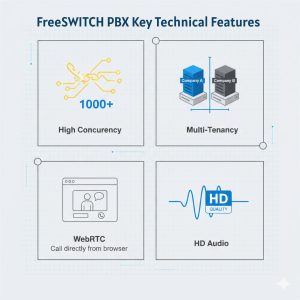
FreeSWITCH PBX Key Technical Features
Top 3 Most Popular FreeSWITCH GUI Interfaces
Since FreeSWITCH is a command-line engine, most businesses need a Graphical User Interface (GUI) to manage FreeSWITCH based PBX. Here are the top three interfaces used today:
1. FusionPBX
FusionPBX is the most popular open-source GUI for deploying a FreeSWITCH PBX. It is highly flexible, offering a complete feature set including multi-tenancy, fax server, call recording, and detailed reporting. For 90% of businesses looking to self-host a FreeSWITCH PBX, FusionPBX is the go-to choice.
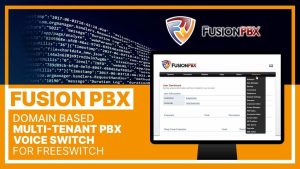
FusionPBX – popular open-source GUI for deploying a FreeSWITCH PBX
2. ASTPP
If you are running a VoIP business or wholesale route, ASTPP is a smart billing solution built on top of FreeSWITCH. It excels in real-time billing, least-cost routing (LCR), and prepaid/postpaid account management.

ASTPP is a smart billing solution built on top of FreeSWITCH
3. SignalWire
Created by the original founders of FreeSWITCH, SignalWire offers a cloud API platform. While not a traditional “PBX GUI,” it allows developers to build programmable voice and video applications without managing the underlying FreeSWITCH servers.
SignalWire allows developers to build applications without managing the underlying FreeSWITCH servers.
Recommended Hardware Specifications
If you decide to deploy a self-hosted FreeSWITCH PBX, hardware selection is critical. While requirements vary based on codec usage and call volume, here is a general guideline for a system handling 100–500 concurrent calls:
- CPU: Quad-Core Processor (Modern Intel Xeon or AMD EPYC recommended for high clock speeds).
- RAM: 8GB to 16GB (FreeSWITCH is memory efficient, but databases require RAM).
- Storage: SSD is mandatory. NVMe SSDs are preferred for faster database read/write operations and storing call recordings.
- Network: 1Gbps Ethernet interface with a stable, low-latency internet connection.
The Build vs. Buy Decision: DIY or Managed Cloud?
Now that you understand the power of this technology, the final question is: How should you deploy your FreeSWITCH PBX?
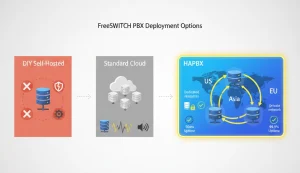
Deployment options for FreeSWITCH PBX
The DIY Route (Self-Hosted)
Building your own FreeSWITCH PBX (using FusionPBX or raw CLI) gives you total control and lower software costs. However, it comes with significant responsibilities:
- Technical Complexity: You need expertise in Linux, networking, and SIP protocols.
- Security: You are responsible for configuring firewalls (Fail2Ban, IPTables) to prevent toll fraud and DDoS attacks.
- Availability: A single self-hosted server is a “single point of failure.” If your hardware fails, your phones go dead.
The Managed Alternative: HAPBX
For businesses that recognize the power of the FreeSWITCH PBX architecture but refuse to accept the risks of a self-managed server, HAPBX (High Available Private Branch Exchange) offers the optimal solution.
Unlike standard cloud providers that squeeze thousands of users onto shared servers, HAPBX bridges the gap between the control of a self-hosted system and the convenience of the cloud.
1. Technical Superiority: Dedicated Instance & Global Cluster
At its core, HAPBX operates on a Dedicated Instance Infrastructure. This means your FreeSWITCH PBX runs on isolated resources—physically or logically segregated from other tenants. This architecture eliminates the “Noisy Neighbor” effect common in shared hosting, where another company’s traffic spike could degrade your call quality.
Furthermore, HAPBX solves the hardest problem of DIY FreeSWITCH PBX: Redundancy.
- Global Cluster Infrastructure: The system runs on a distributed cluster across multiple zones (US, Asia, EU). If one node fails, traffic is automatically rerouted, guaranteeing “High Availability” with almost zero downtime.
- Private Network Topology: Every deployment comes with a Private IP and Private Domain, providing an enterprise-grade security layer that blocks common public internet threats.
- Low Latency: The infrastructure is optimized to maintain latency around 50ms (max 150ms), ensuring crystal-clear voice quality.
2. Benefits for Business Owners: Scalability & Peace of Mind
Business growth should never be bottlenecked by phone system hardware. Unlike a typical self-hosted FreeSWITCH based PBX which requires manual upgrades, HAPBX is designed to be “Safe, Sound, and Ready for Any Scale.”
- Instant Scalability: Whether you have 10 users or need to handle 100+ concurrent calls for a sales campaign, the system scales instantly without you needing to buy new servers.
- Predictable Reliability: By eliminating single points of failure, HAPBX transforms your communication system from a potential liability into a business continuity asset. Your sales and support lines stay open, always.
3. Benefits for IT Teams: Eliminating Technical Risks
For Tech-Savvy SMEs and internal IT departments, HAPBX removes the burden of maintaining a complex FreeSWITCH PBX.
- Focus on Development, Not Maintenance: Stop wasting hours patching Linux kernels, configuring firewalls, or debugging SIP headers. HAPBX handles all infrastructure updates, security patches, and backups.
- Full Control, Zero Liability: Your IT team retains control over call flows, extensions, and integrations (CRM, Ticket systems) but offloads the critical risks of hardware failure and capacity planning to HAPBX.
HAPBX delivers the raw power and flexibility of a top-tier FreeSWITCH PBX, packaged in a secure, fully managed environment that lets you focus on your business, not your server.
Conclusion
If you have a dedicated engineering team, building a FreeSWITCH PBX server is a rewarding project. But if your priority is a business-ready phone system that is safe, sound, and ready for any scale, a managed solution like HAPBX allows you to focus on your business, not your server. Contact HAPBX now!