
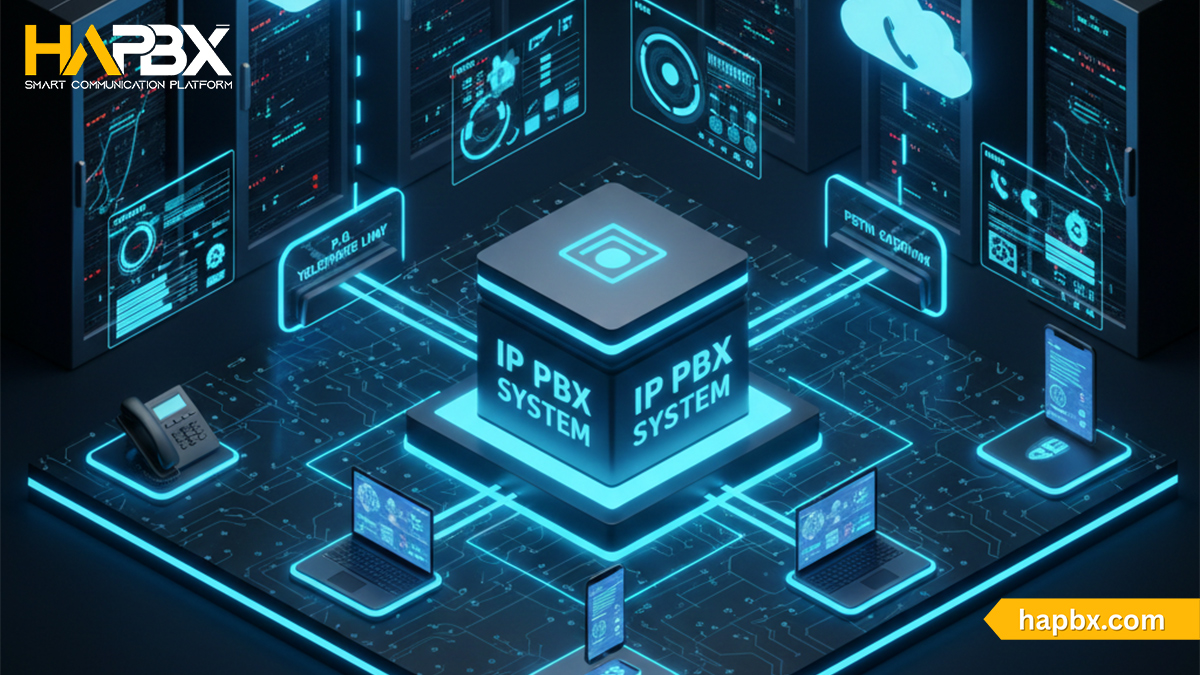
Traditional business phone systems and old-fashioned landlines have had their day – today’s companies demand more flexibility, lower costs, and cutting-edge features. That’s where IP PBX comes in: a modern, internet-based private branch exchange that replaces physical wiring with powerful VoIP technology, letting businesses manage calls, extensions, and advanced communication tools from anywhere.
Among the growing number of IP PBX solutions, HaPBX stands out by delivering enterprise-grade reliability, seamless cloud integration, and rich functionality without the complexity or high price tag of traditional providers. Keep reading to discover exactly what IP PBX is, how it works and if it is suitable for your company / how an IP PBX works, its key benefits, and why HaPBX is becoming the smart choice for forward-thinking organizations.
Introduction to IP PBX
What is IP PBX?
An IP PBX (Internet Protocol Private Branch Exchange) is a modern phone system that uses the internet – rather than traditional PSTN lines – to route and manage business calls. It works via VoIP, allowing teams to make and receive calls through desk phones, softphones, and mobile apps, all on a single network.
IP PBX combines the flexibility of internet-based calling with the control of on-site hardware. It supports features like call routing, voicemail, extensions, and multi-device connectivity without requiring heavy wiring or multiple physical phone lines. Businesses can also integrate it easily with CRM, email, and other communication tools.
IP PBX and VoIP: Clearing the Confusion
IP PBX is an on-site phone system that manages and routes business calls over the internet. VoIP is the technology that enables those calls to travel online through phones, computers, or mobile apps.
IP PBX uses VoIP to deliver modern calling features with lower costs and easier scalability. In simple terms: VoIP is the technology, and IP PBX is the system that uses it.
3 Types of IP PBX phone system
On-Premise IP PBX
On-Premise IP PBX is installed directly at your office and running on your own hardware. It offers full control but requires more setup, maintenance, and technical skills. Remote access is harder, and the system is vulnerable to local outages or disasters.
Cloud-Based IP PBX
A cloud-hosted IP PBX runs on virtual servers in a provider’s data center and can be self-managed or delivered as a SaaS solution. It offers built-in redundancy, lower operational costs, easier remote access, and minimal hardware requirements. Businesses can scale quickly without dealing with maintenance, upgrades, or physical infrastructure.
Hybrid IP PBX
A hybrid system combines on-premise hardware with cloud-powered VoIP features. You keep your local PBX infrastructure but connect it to a cloud VoIP provider for added capabilities such as advanced call routing, integrations, and improved reliability. This approach helps companies transition from legacy systems to full cloud environments at their own pace.
Best Cheap Hosted PBX Systems for Small Businesses (2026)
The Importance of an IP PBX System
An IP PBX system centralizes all business communications into one flexible, easy-to-manage platform. It can be customized to fit your workflows, scale with new initiatives, and adapt as your organization grows.
A key advantage is compatibility: most companies can reuse their existing phone hardware while gaining the benefits of internet-based calling. This makes transitioning from a traditional PBX simple, cost-effective, and minimally disruptive. Daily operations continue as normal – only now with lower calling costs, improved call quality, and more modern communication features.
How IP PBX actually works

An IP PBX works by converting analog voice into digital data and routing calls over the internet using VoIP. At the core of the system is SIP (Session Initiation Protocol), the universal standard that handles the initiation, management, and termination of each call. SIP trunking provides multiple voice channels, allowing your PBX to communicate with external phone networks.
Inside the PBX, nothing changes for users – they can still call internal extensions, check voicemail, and use call groups just like with traditional systems. The difference happens externally: your VoIP provider supplies SIP credentials, and once authenticated, the PBX decides whether a call should be handled internally or sent out through the PSTN or VoIP network.
During each call, voice is encoded by codecs, converted into data packets, transmitted online, then decoded back into sound in real time. This integration of SIP, IP-based routing, and VoIP technology allows IP PBX systems to deliver flexible, reliable, and cost-efficient communication for modern businesses.
Key Features of IP PBX
An IP PBX system offers a range of modern communication features designed to improve flexibility, efficiency, and call handling. Key features include:
- VoIP & SIP Support: IP PBX must support IP phones and SIP trunks, enabling internet-based calling as businesses move away from legacy PSTN lines.
- Advanced Call Routing & Forwarding: Calls can be routed based on availability, skills, schedules, or custom rules. Features like Find Me/Follow Me and remote IP extensions support mobility.
- Voicemail & Voicemail-to-Email: Users can receive voicemails directly in their inbox as audio attachments, making it easy to stay updated when away from the desk.
- Conferencing & Collaboration: Supports multi-party conference calls, allowing teams and clients to join meetings without extra tools.
- Call Queues & Hold Options: Customize hold music, messages, and queue rules to create a better caller experience and reduce frustration.
- Mobility Features: Remote workers can connect through softphones, mobile apps, or IP extensions, ensuring seamless communication outside the office.
- Reporting & Call Analytics: Call logs and performance reports help businesses monitor usage, improve operations, and manage call center performance.
- Cost-Efficient International Calling: With VoIP, companies avoid carrier-based long-distance fees, significantly reducing communication costs – especially for global teams.
Benefits and Advantages of IP PBX
Adopting an IP PBX brings significant improvements to cost, performance, and long-term scalability. Some key advantages include:
- Lower Communication Costs: IP PBX reduces long-distance and international calling fees by routing calls over the internet. Internal calls between offices become free, and businesses can choose metered or unlimited SIP trunking for additional savings.
- Use Existing Hardware: Most companies can keep their current PBX phones and infrastructure, reducing upfront investment. Only SIP credentials (domain, username, password) are needed to get started.
- Improved Call Quality: VoIP calling supports HD audio, delivering clearer, more reliable conversations than traditional PSTN lines.
- Greater Control & Security: With on-premise management, IT teams maintain full oversight of configurations, data, and network security.
- Cloud-Level Reliability: Even with on-site hardware, IP PBX can connect to cloud SIP trunks for redundancy. If the local PBX fails, calls can automatically reroute through the cloud.
- Easy Scaling & Minimal Disruption: SIP trunking allows voice channels to be added or removed without major system changes. Expanding your communication system becomes effortless and low-risk.
- Future-Proof for PSTN Shutdown: As many regions phase out PSTN networks, switching to IP ensures uninterrupted communication and long-term compatibility.
IP PBX limitations and challenges
While the IP PBX phone system offers many advantages, it’s not the ideal solution for every business. Here are some limitations included you might want to consider:
- Requires Technical Expertise: Setting up and maintaining an on-premise IP PBX requires strong technical skills – often involving Linux, networking, SIP configurations, and ongoing management. Companies without in-house IT talent may face higher hiring or outsourcing costs.
- Limited Remote Work Support: Most on-site IP PBX systems don’t natively support remote or mobile calling. Users must connect directly to the office network, making it challenging for remote teams, hybrid employees, or staff who frequently travel.
- Hardware-Based Scalability Limits: An IP PBX can only scale as far as its hardware capacity allows. Adding more users or call channels may require extra equipment or complex configuration – slowing down expansion.
- Fewer Built-In Features vs. Cloud Solutions: On-premise systems lack the unified communication features found in cloud platforms, such as integrated video meetings, softphone apps, advanced analytics, and instant messaging. Implementing these often demands additional tools or technical customization.

How HaPBX solves these limitations?
If these challenges concern your business, HaPBX provides a modern alternative. As a cloud-powered communication platform, we eliminate the need for complex hardware, supports remote work out of the box, scales instantly, and comes with built-in UC features such as mobile apps, video calls, call analytics, and smart routing.
By upgrading to HaPBX, you bypass the limitations of traditional IP PBX while gaining a faster, more flexible, and future-ready communication system.
Choosing the right IP PBX provider
Selecting the right IP PBX solution provider is crucial to ensuring long-term reliability, security, and scalability. Here are the key factors to look for – and the red flags to avoid:
1. Proprietary, In-House Infrastructure
Choose a provider that develops and manages its VoIP platform internally. Providers relying on third-party licensed systems often have limited control over updates, performance, and security. An in-house engineering team signals stability, innovation, and accountability.
2. Continuous Innovation & Feature Updates
A strong provider consistently adds new features, improves existing ones, and keeps pace with modern communication trends. If a vendor hasn’t updated its platform in a long time, consider it a major warning sign – security, reliability, and functionality may all be outdated.
3. Transparent, Honest Pricing
Avoid providers with hidden fees, vague contracts, or complicated billing structures. Ask upfront about: contracts & early termination, taxes & porting fees, user licenses and add-on features (call recording, transcription, on-hold music, etc.)
Your provider should clearly communicate total cost – before you sign.
4. In-House Customer Support
Good support is essential. A reliable provider offers responsive, knowledgeable, in-house assistance without minimum spending requirements. Always check real customer reviews – not paid or incentivized ones – to gauge service quality.
5. BYOD (Bring Your Own Device) Compatibility
Your vendor should not lock devices to their platform. BYOD support allows you to reuse existing phones and switch providers without hassle. Auto-provisioning and easy device management are major plus points.
Setting up an IP PBX system is now easier with HaPBX
Setting up an IP PBX system may sound technical, but with a clear plan, the process becomes much more manageable. Below is a simple, practical 10-step roadmap to guide you from preparation to full deployment.
1. Assess Your Needs
Start by taking a close look at your organization. How many users or extensions will you need? Which features matter most – video meetings, mobile apps, or remote work support? Understanding your pain points and priorities will help you choose a system that truly fits.
2. Choose the Right IP PBX Model
Once your needs are clear, decide whether an on-premise, cloud, or hybrid IP PBX makes the most sense. This choice sets the foundation for your entire setup, from budget considerations to long-term scalability.
3. Select Hardware & Software
Next, gather the right hardware and software. This may include IP phones, servers, routers, VoIP apps, and softphones. If you already have compatible equipment, you can often reuse it to reduce costs.
4. Prepare Your Network
Your network plays a critical role in call quality. Make sure you have enough bandwidth, stable infrastructure, and properly configured firewalls. Allow essential VoIP protocols such as SIP and RTP so your system can run smoothly.
5. Install the IP PBX Software
With the network ready, you can move on to installing the PBX software. It’s usually best to work closely with your provider during this step so the setup, deployment, and initial configuration go as smoothly as possible.

6. Configure the System
This is where your PBX starts taking shape. Create extensions for each user, set up SIP trunks, define dial plans, and enable features such as voicemail, IVR menus, call forwarding, or call recording. Each system will vary slightly, but this step ties everything together.
7. Set Up IP Phones
Once the PBX is configured, connect your IP phones and mobile softphones. Register each device using the SIP credentials provided by your service provider so users can start making and receiving calls.
8. Test the System
Before rolling out the system company-wide, test everything thoroughly. Make calls from different locations, check voice clarity, and try key features like forwarding, conferencing, or voicemail-to-email. Any issues should be resolved before going live.
9. Train Employees
A new communication system is only effective if your team knows how to use it. Provide training materials, short tutorials, or a knowledge base that employees can refer back to. If you’re using a hosted PBX, ask your provider for onboarding resources to make training easier.
10. Monitor & Maintain
After everything is up and running, ongoing maintenance is essential. Update hardware firmware, keep your PBX software current, and regularly monitor call quality. Tracking metrics such as jitter, latency, and packet loss helps you spot and fix issues early.
How HaPBX Solves the Limitations of Traditional IP PBX
Enterprise-Grade Reliability Without Enterprise Complexity
HaPBX is built on a dedicated, high-availability infrastructure designed to keep your business connected at all times. Instead of relying on shared, low-cost VoIP environments, HaPBX delivers stable performance, consistent call quality, and minimal downtime, even during high call volumes.
Scalability Without Limits
HaPBX grows as your business grows. There are no per-user or per-extension limits, making it easy to scale from a small team to a global operation without redesigning your phone system.
Security by Design
HaPBX uses isolated system architecture and secure call routing to reduce the risk of cross-tenant exposure. This ensures your communications remain private, protected, and compliant with modern security expectations.
Simple Deployment, Minimal Technical Overhead
Forget complex setups or ongoing server maintenance. HaPBX is quick to deploy, easy to manage, and requires no specialized in-house PBX expertise, allowing IT teams to focus on higher-value work.
Transparent Pricing – No Hidden Costs
One of HaPBX’s biggest advantages is pricing clarity. What you see is what you pay – with no hidden fees, no surprise add-ons, and no unexpected charges for essential features. Businesses can budget confidently without worrying about sudden cost increases.
Built for the Future of Business Communication
As PSTN networks are phased out worldwide, HaPBX ensures your business stays ahead. With cloud-native infrastructure, modern IP telephony, and continuous platform improvements, HaPBX is designed for long-term reliability and growth.

Conclusion
An IP PBX system gives businesses more flexibility, better call quality, and lower communication costs – all while preparing your organization for a future without traditional phone lines. However, managing an on-premise system can still be complex, especially as your team grows and your communication needs evolve.
This is why more businesses are moving to HaPBX. HaPBX combines the strengths of IP-based calling with the simplicity of a cloud platform, delivering reliable call quality, built-in mobility, high availability, and effortless scalability – without the burden of hardware management or technical overhead.
If you’re ready to modernize your business communications, HaPBX offers a faster, simpler path forward. Request a demo or get started with HaPBX today and experience a communication system designed for growth, reliability, and the future of work.