

When a PBX not working, business communication can quickly come to a halt – resulting in missed calls, poor call quality, and operational disruption. PBX issues are often caused by network instability, configuration errors, or VoIP-related problems rather than a single system failure.
This guide explains the most common PBX problems, how to troubleshoot them step by step, and how proactive solutions like HaPBX help businesses maintain reliable PBX performance and prevent recurring downtime.
Before You Troubleshoot: Identify the Type and Scope of the PBX Issue
When your PBX is not working, jumping straight into random fixes can waste valuable time – and potentially make the problem worse. Instead of reviewing general PBX theory, the first step is to clearly identify what kind of issue you’re dealing with and how widespread it is.
Start by asking a few key questions:
- Is the issue affecting one user, a department, or the entire organization?
- Are calls failing completely, or is it a quality issue (echo, delay, jitter, dropped calls)?
- Is the problem related to inbound calls, outbound calls, or both?
- Has there been any recent change in your network, firewall, SIP trunk, or PBX configuration?
Understanding the scope helps you quickly narrow down whether the issue is:
- A device-level problem (IP phone, headset, extension configuration)
- A network-related issue (bandwidth, latency, QoS misconfiguration)
- A SIP trunk or carrier issue
- Or a core PBX system malfunction
For example, if only one extension cannot make outbound calls, the root cause is likely local (device, user settings, permissions). But if the entire office cannot receive inbound calls, the issue may involve your SIP trunk, DID routing, or firewall rules.
By identifying the type and scale of the disruption first, you can troubleshoot more strategically and minimize downtime.
Now that you’ve defined the scope of the problem, let’s look at the most common PBX phone system issues that disrupt business communications and how to address them effectively.
Common PBX Phone System Problems That Disrupt Business Communications
When a PBX system is not working properly, the problems often appear in day-to-day call handling rather than a full system outage. Identifying the specific symptom is the first step toward effective troubleshooting.
Common PBX phone system issues include:
- No dial tone
Phones may power on but fail to connect to the PBX, often due to network issues, disconnected lines, or PBX service downtime.
- Phones not ringing
Incoming calls do not reach extensions, typically caused by incorrect call routing, extension misconfiguration, or device registration problems.
- No audio or one-way audio
Calls connect but sound is missing on one or both sides, usually linked to firewall restrictions, NAT issues, or incorrect VoIP/SIP settings.
- Poor call qualiUty
Choppy audio, echo, or delay can result from insufficient bandwidth, network congestion, high latency, or packet loss.
- Dropped or disconnected calls
Calls end unexpectedly due to unstable network connections, power interruptions, or PBX software issues.
- Phone not registering
IP phones fail to register with the PBX system, often because of incorrect credentials, firmware issues, or network connectivity problems.
- PBX system unresponsive or offline
The PBX hardware or software stops responding entirely, commonly caused by power outages, hardware failure, or system crashes.
Understanding which of these issues your business is experiencing helps narrow down the root cause and determines the most effective troubleshooting steps to restore PBX functionality.
If these issues occur frequently or affect business operations, solutions like HaPBX provide centralized monitoring and professional support to help businesses quickly identify, troubleshoot, and prevent recurring PBX system problems

Key Reasons PBX Systems Fail: Power, Network, and Configuration Factors
PBX failures are often caused by a combination of infrastructure, network, and configuration issues rather than a single point of failure. Identifying the underlying cause is essential for restoring service and preventing future disruptions.
Common causes of PBX failures include power outages or unstable power supply, which can shut down PBX hardware or corrupt system settings. Network connectivity problems, such as internet outages, high latency, jitter, or packet loss, are another major factor – especially for IP-based and VoIP-enabled PBX systems.
Insufficient bandwidth or network congestion can degrade call quality, cause dropped calls, or prevent phones from registering. In addition, hardware malfunctions, outdated firmware, or misconfigured PBX settings can lead to system instability and unexpected downtime. Security-related issues, such as firewall restrictions or blocked VoIP traffic, also commonly interfere with call signaling and audio transmission.
Because PBX failures often stem from multiple interconnected issues, businesses using managed platforms like HaPBX benefit from centralized monitoring and expert support to quickly pinpoint root causes and maintain consistent system reliability.
A Step-by-Step Guide to Troubleshoot and Restore a Non-Working PBX System
When your PBX is not working, following a structured troubleshooting process helps identify the root cause faster and prevents unnecessary downtime. Use the steps below to diagnose and resolve the most common PBX system issues.
Step 1: Check Power Supply and PBX Hardware
Start by verifying that the PBX system and all connected devices are receiving power. Check power cables, switches, and indicators on the PBX hardware. If the system was recently affected by a power outage, a controlled reboot may restore functionality. Avoid frequent or forced reboots, as they can cause configuration issues or data corruption.
Step 2: Verify Network and Internet Connectivity
PBX systems – especially IP and VoIP-based solutions – depend heavily on network stability. Confirm that your internet connection is active and that network devices such as routers and switches are functioning properly. Test bandwidth availability and look for signs of latency, jitter, or packet loss that could impact call performance.
Step 3: Identify Call Audio and Quality Issues
If calls connect but audio is missing or distorted, check for one-way audio, echo, or choppy sound. These problems are often caused by firewall restrictions, NAT misconfiguration, or network congestion. Ensure VoIP traffic is not being blocked and that Quality of Service (QoS) is enabled to prioritize voice data.
Step 4: Troubleshoot Call Routing and Ringing Problems
When phones are not ringing or calls are not reaching the correct extensions, review PBX call routing rules and extension settings. Confirm that devices are properly registered and that inbound and outbound call paths are configured correctly.
Step 5: Check Device Registration and Configuration
Phones that fail to register with the PBX may have incorrect credentials, outdated firmware, or connectivity issues. Verify SIP usernames and passwords, confirm firmware compatibility, and ensure devices are connected to the correct network.
Step 6: Review Logs and System Status
PBX system logs can reveal recurring errors, registration failures, or signaling problems. Reviewing these logs helps identify patterns and underlying issues that are not immediately visible through basic troubleshooting.
Step 7: Test Calls and Monitor Performance
After making changes, perform test calls to confirm the issue is resolved. Monitor call quality and system performance over time to ensure stability and prevent the problem from recurring.
How VoIP Connectivity and Network Quality Impact PBX Performance
In modern PBX systems, VoIP plays a critical role in call routing and connectivity. While VoIP enables flexibility and scalability, it also introduces dependencies on network quality, bandwidth, and configuration. Issues such as insufficient bandwidth, high latency, jitter, or packet loss can directly affect PBX performance, leading to poor call quality, dropped calls, or devices failing to register.
Firewall restrictions, NAT misconfiguration, or improperly prioritized VoIP traffic are also common reasons VoIP-related PBX issues occur, even when the PBX hardware itself is functioning correctly.
Understanding how VoIP impacts PBX performance helps narrow down potential causes and determines which troubleshooting steps should be addressed first.
Advanced Strategies to Improve PBX Call Quality and System Stability
Once basic PBX issues are resolved, optimizing call quality helps prevent future disruptions and ensures consistent communication performance. One of the most effective steps is to prioritize VoIP traffic using Quality of Service (QoS) on routers and switches, ensuring voice calls are not affected by other network activity.
Maintaining adequate bandwidth and reducing network congestion is equally important, especially during peak business hours. Regularly updating PBX software and device firmware helps eliminate bugs and compatibility issues that may impact call stability. Businesses should also review firewall and NAT configurations to ensure VoIP signaling and media traffic are not being blocked or delayed.
For long-term reliability, continuous monitoring of call quality metrics – such as latency, jitter, and packet loss – allows potential problems to be identified and addressed before they affect users.
Solutions like HaPBX help businesses continuously monitor call quality, network performance, and PBX health, making it easier to maintain stable communication and prevent recurring call issues
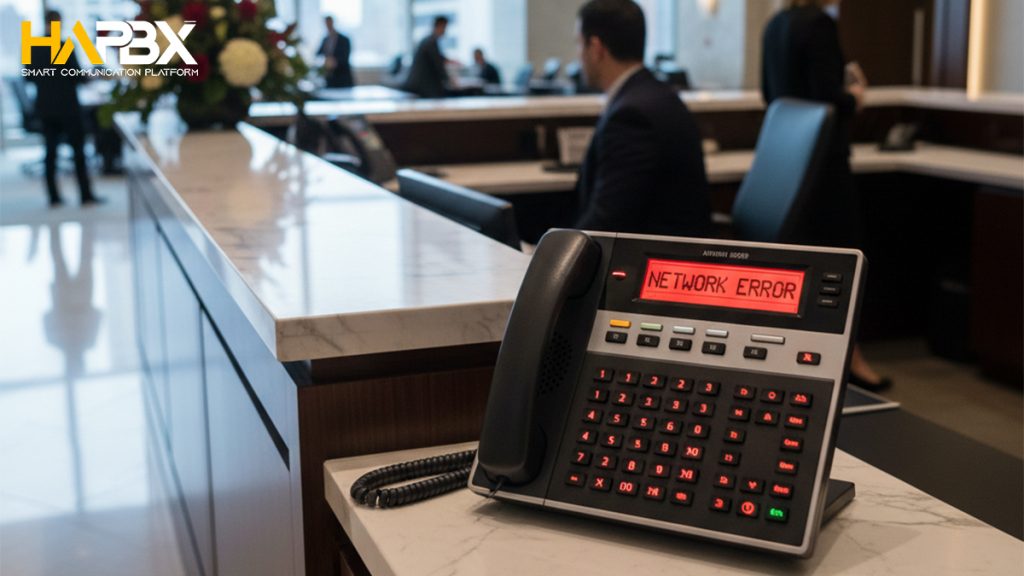
When to Escalate PBX Issues and Contact Professional PBX Support
While basic troubleshooting can resolve many PBX issues, there are situations where contacting PBX support is the most effective and time-efficient option. If your PBX system continues to experience frequent outages, persistent call quality problems, or repeated device registration failures, the issue may extend beyond basic configuration or network checks.
You should also contact PBX support when system logs show recurring errors, hardware failures are suspected, or changes to firewall, SIP, or network architecture are required. In these cases, attempting further fixes without proper expertise can increase downtime or introduce new issues.
For businesses that rely heavily on voice communication, working with managed PBX providers like HaPBX ensures access to expert support, proactive monitoring, and faster issue resolution – helping maintain system stability and minimize operational disruptions.
HaPBX: A Smarter Way to Manage and Support Your PBX
PBX failures are rarely caused by a single issue. In most cases, they result from multiple interconnected factors, such as network instability, configuration errors, limited system visibility, and delayed response to early warning signs. While manual troubleshooting can resolve immediate problems, it is often reactive, time-consuming, and difficult to scale.
HaPBX takes a proactive approach to PBX management by providing centralized monitoring, improved visibility, and expert support, helping businesses prevent recurring PBX issues before they disrupt operations.
- Key Ways HaPBX Improves PBX Reliability
HaPBX helps businesses maintain stable and reliable PBX systems by enabling:
- Centralized monitoring of PBX health
Gain real-time visibility into PBX performance, system status, and call activity.
- Early detection of call quality and network issues
Identify problems related to latency, jitter, packet loss, or bandwidth limitations before users are affected.
- Faster root cause identification
Quickly pinpoint whether issues stem from network conditions, configuration errors, or device registration problems.
- Reduced configuration and maintenance errors
Minimize downtime caused by misconfigurations and inconsistent system changes.
- Scalable PBX support for growing businesses
Easily manage and support PBX environments as communication needs expand.
By combining proactive monitoring with enterprise-grade support, HaPBX helps organizations reduce PBX downtime, improve call quality, and maintain consistent business communications – transforming PBX troubleshooting from a reactive task into a controlled, preventative process.
Conclusion: Ensuring Long-Term PBX Reliability and Business Communication Continuity
When a PBX system is not working, the impact goes far beyond missed calls – it can disrupt internal communication, customer service, and overall business operations. As this guide shows, most PBX issues stem from a combination of power, network, configuration, and VoIP-related factors rather than a single failure point.
While basic troubleshooting steps can help restore service in the short term, long-term PBX reliability requires proactive monitoring, timely support, and better system visibility. Identifying issues early, maintaining call quality, and reducing downtime are critical for businesses that depend on consistent and professional voice communication.
By adopting a more proactive approach to PBX management, organizations can move from reacting to outages to preventing them altogether.
Maintain Reliable PBX Performance with HaPBX
HaPBX helps businesses prevent PBX failures through centralized monitoring, expert support, and improved visibility into system performance and call quality. Instead of responding to issues after they occur, HaPBX enables organizations to maintain stable, high-performing PBX environments that support business continuity and growth.
Request a free demo to learn how HaPBX can help you reduce PBX downtime and maintain reliable business communications.