
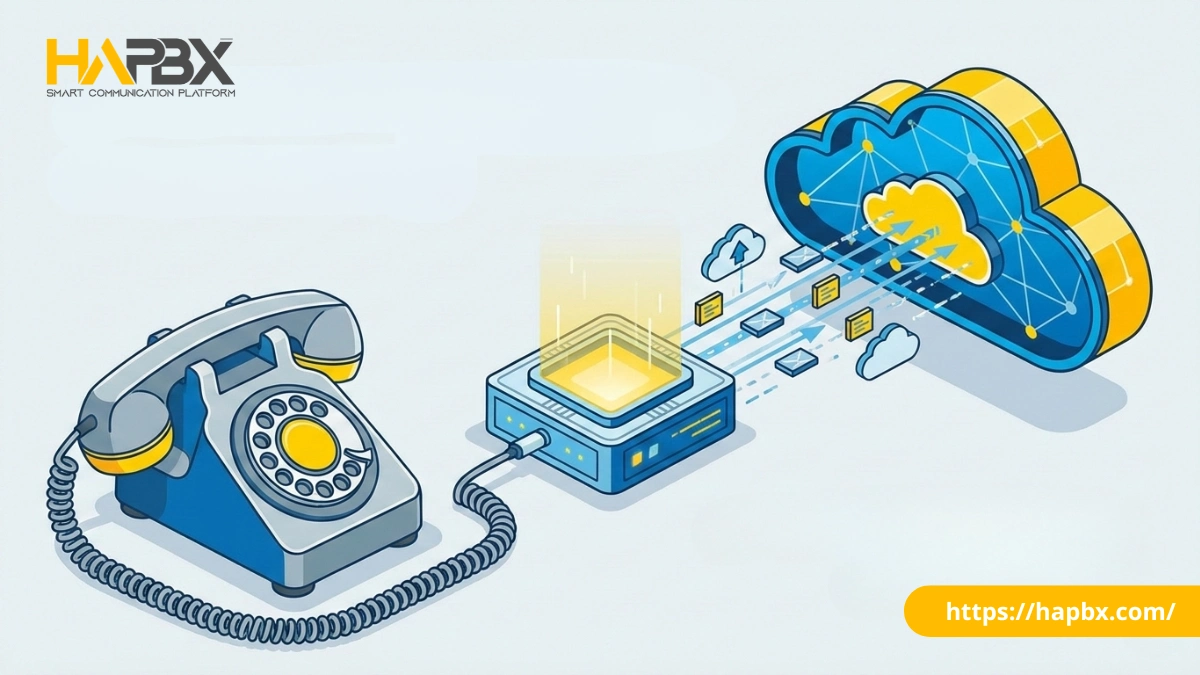
In the rapidly evolving landscape of business telecommunications, organizations are often caught between two eras: the legacy reliability of copper lines and the high-availability future offered by modern cloud platforms like HAPBX.
For businesses that are transitioning to the cloud but are not yet ready to go fully hardware-free, the solution lies in a specialized device known as a VoIP gateway.
A VoIP gateway (or Voice over IP gateway) acts as a critical translator. It converts analog voice signals from traditional phone lines (PSTN) or legacy equipment (like fax machines) into digital IP packets that can travel over the internet.
While enterprise-grade solutions like HAPBX are engineered to eliminate on-premise hardware entirely through Global Cluster Infrastructure, VoIP gateways remain an essential bridge for companies operating in hybrid environments, allowing them to modernize at their own pace without ripping out existing infrastructure immediately.
How Does a Voice Over IP Gateway Work?
To understand how this technology functions, imagine two people trying to speak different languages. One speaks “Analog” (electrical pulses over copper wire), and the other speaks “Digital” (binary data over the internet). The VoIP gateway device sits in the middle, translating the conversation in real-time.
The Conversion Process:
- Reception: The gateway receives an analog voice signal from a traditional phone line or legacy PBX.
- Digitization: It uses a specialized chip (DSP – Digital Signal Processor) to compress this audio wave.
- Packetization: The compressed audio is broken down into small data packets wrapped in IP headers.
- Transmission: These packets are sent over the network using standard protocols like SIP (Session Initiation Protocol) and RTP (Real-Time Transport Protocol).
On the receiving end, the process is reversed. The gateway decompresses the digital packets back into analog audio for the listener. This seamless conversion allows businesses to route calls over the internet—saving money on long-distance tolls—while still using their existing analog phones or landlines.
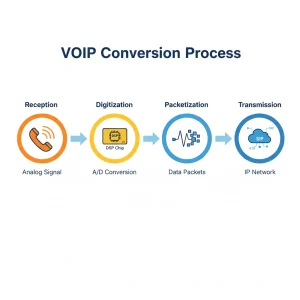
VoIP gateway conversion process
The 3 Main Types of VoIP Gateways
Not all VoIP gateways are built for the same purpose. Depending on your current infrastructure and what you are trying to connect, you will need to choose between three primary categories.
1. Analog VoIP Gateways (The Most Common)
These are used to connect traditional analog devices to a VoIP network. They are further divided into two critical sub-types (FXS and FXO), which we will detail in the next section.
Best for: Small businesses wanting to connect a few fax machines or old conference phones to a new Cloud PBX.
2. Digital Gateways (E1/T1/PRI)
While analog gateways handle single lines, Digital Gateways are heavy-duty industrial units designed to handle high-volume traffic. They connect legacy Digital PBX systems (often found in large corporate offices) to the modern internet via SIP Trunks.
Best for: Large enterprises that invested millions in a legacy PBX system 10 years ago and aren’t ready to throw it away yet, but want to use cheaper VoIP calling rates.
3. GSM / LTE VoIP Gateways
Instead of connecting to a landline wire, these devices hold SIM cards. They convert “Voice over IP” calls into cellular signals (GSM/4G/5G) and vice versa.
Best for:
- Redundancy: Acting as a backup internet/voice connection if the main fiber line is cut.
- Cost Savings: Routing calls to mobile numbers through the SIM card to avoid high interconnection fees.
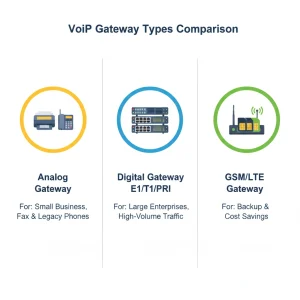
Types of VoiP Gateways Types
FXS vs. FXO: The Critical Difference Explained
If you are shopping for an analog VoIP gateway device, the most confusing specification is distinguishing between FXS and FXO ports. Buying the wrong one means your equipment physically won’t plug in.
Here is the easiest way to remember the difference:
FXS Gateway (Foreign Exchange Station)
- What it connects to: The Subscriber device (The Phone or Fax).
- Function: It “delivers” the dial tone. You plug an analog phone into an FXS port to give that old phone VoIP capabilities.
- Use Case: You want to use an old analog fax machine with your new cloud phone system.
FXO Gateway (Foreign Exchange Office)
- What it connects to: The Office Line (The Wall / Telco).
- Function: It “receives” the dial tone. You plug a copper landline from the wall into an FXO port to convert that landline signal into VoIP.
- Use Case: You have a reliable copper telephone line from the phone company and want to connect it to your digital IP PBX for backup.
Top Use Cases: Why Businesses Buy VoIP Gateways
Despite the massive shift to the cloud, VoIP gateways typically serve three strategic roles, including:
Supporting Legacy Devices (Fax & Elevators):
Many industries (healthcare, legal) still require physical fax machines. Since digital VoIP lines can struggle with fax signals, an FXS gateway is often used as a reliable bridge. Similarly, emergency elevator phones often require analog connections for safety compliance.
PSTN Failover (Survivability):
Businesses that cannot risk internet outages may keep one copper landline active. An FXO gateway connects this landline to their VoIP system. If the internet fails, the gateway automatically routes calls out through the copper wire.
Gradual Migration (Hybrid Office):
Instead of replacing 500 desk phones overnight, a company can use gateways to migrate department by department, spreading the cost over several years.
The Downside: Why Hardware Gateways are Becoming Obsolete
While VoIP gateways are useful bridges, they are ultimately “band-aid” solutions. Relying on physical hardware in a cloud-first world introduces significant operational risks that modern IT managers are trying to avoid.
- Single Point of Failure: If your physical gateway device burns out, loses power, or suffers a firmware glitch, every line connected to it goes dead. Unlike the cloud, there is no automatic redundancy for a fried circuit board.
- Maintenance Headaches: These are physical boxes that need cooling, power, and manual security patching. They become “technical debt”—yet another piece of equipment your IT team has to manage.
- Scalability Limits: Hardware is finite. If you buy an 8-port gateway and hire your 9th employee, you are out of luck. You must buy a completely new unit and configure it from scratch.
This leads to the question: Why bridge the old connection when you can replace it entirely?
The HAPBX Alternative: Go Hardware-Free with Dedicated Cloud
For most businesses, the goal is not to buy more boxes; it is to communicate efficiently. This is where HAPBX (High Available Private Branch Exchange) offers a superior alternative to the traditional gateway model.
HAPBX is a cloud-native platform that removes the need for physical VoIP gateways by virtualizing the entire communication stack.
1. Eliminating the “Translator” Box
Instead of buying an FXO gateway to connect a landline, HAPBX allows you to port your existing business numbers directly into the cloud. The “conversion” from PSTN to IP happens at the carrier level, not in your server closet. This eliminates hardware costs, maintenance, and the risk of device failure.
2. Superior Reliability (High Availability)
A single physical gateway is a point of failure. HAPBX replaces this with a Global Cluster Infrastructure. Your phone system runs on a Dedicated Instance that replicates data across multiple geographic nodes. If one connection path fails, traffic is instantly rerouted—offering a level of uptime (99.999%) that a physical box plugged into a wall can never match.
3. Modernizing Legacy Workflows
Worried about fax? HAPBX offers “Virtual Fax” (Fax-to-Email), removing the need for FXS gateways and paper waste. Worried about redundancy? Instead of an expensive copper backup line, HAPBX mobile apps allow your team to switch to 4G/5G data instantly if the office internet drops.
By moving to HAPBX, you aren’t just connecting to the cloud; you are removing the physical bottlenecks that slow your business down.
Installation Guide
If you still require a physical VoIP gateway device for specific legacy needs, here is the basic deployment workflow:
- Network Connection: Plug the gateway’s WAN port into your router/switch.
- Wiring: Connect analog phones to FXS ports or wall lines to FXO ports.
- IP Configuration: Log in to the gateway’s web interface (find the IP address via your network scanner).
- SIP Trunking: Enter the SIP credentials provided by your VoIP provider to “register” the device to the network.
Frequently Asked Questions about VOIP Gateways
Q: Can I use a VoIP gateway for my fax machine?
A: Yes. You will need an FXS gateway that supports the T.38 protocol, which is designed to transmit fax signals reliably over VoIP networks.
Q: What is the difference between an ATA and a Gateway?
A: An ATA (Analog Telephone Adapter) is basically a small, 1 or 2-port gateway designed for home use. A commercial VoIP gateway typically has 4, 8, 24, or 48 ports and stronger processing power for business traffic.
Q: Do I need a gateway if I have IP Phones?
A: No. IP Phones talk directly to the internet. You only need a gateway if you are trying to use old analog phones or landlines.
Conclusion
VoIP gateways have served as the essential bridge between the analog past and the digital future. They are powerful tools for specific hybrid scenarios, such as preserving fax machines or providing emergency backup.
However, for the majority of modern enterprises, the future is hardware-free. Relying on physical bridges introduces maintenance, cost, and complexity that slows down growth. By adopting a High-Availability solution like HAPBX, you bypass the bridge entirely, moving your infrastructure to a secure, scalable, and dedicated cloud environment that is ready for 2025 and beyond.