
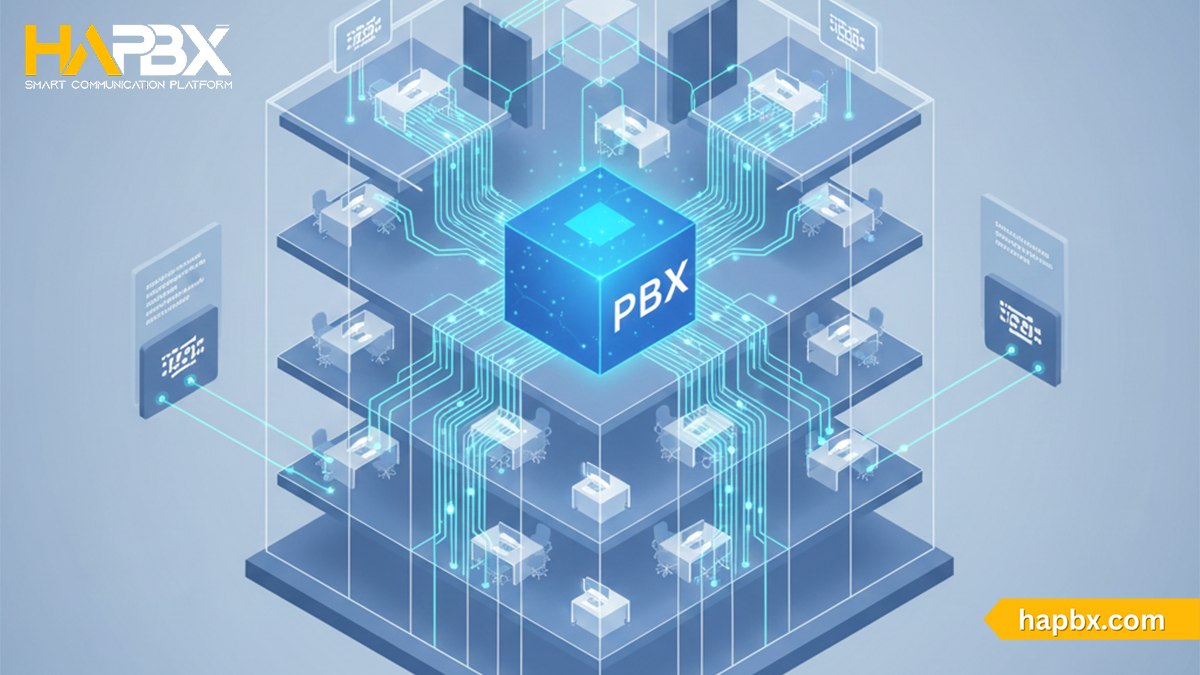
PBX – Private Branch Exchange is a core business phone system that enables organizations to manage internal and external calls efficiently, securely, and at scale. From traditional on-premises PBX to cloud-based and virtual PBX solutions, PBX systems have evolved to support modern work models, multi-location teams, and customer-centric communication.
In this guide, we’ll explore how Private Branch Exchange (PBX) works, its key types, features, benefits, and real-world use cases – helping businesses choose the right PBX model for their needs. As a modern PBX provider, HaPBX delivers flexible, high-availability PBX solutions designed for growing businesses that demand reliability, security, and future-ready communications.
Private Branch Exchange (PBX): A Comprehensive Overview of Business Phone Systems
What is Private Branch Exchange (PBX)?
A Private Branch Exchange (PBX) is a private telephone network used within a business or organization to manage internal and external voice communications. In simple terms, a PBX works like a modern telephone switchboard, allowing employees to call each other using internal extensions while also connecting to external phone networks for inbound and outbound calls.
At its core, a PBX centralizes all business phone traffic. Instead of requiring a separate public phone number and line for every employee, the PBX connects all phones, devices, and extensions to a single internal system. This system then links to the Public Switched Telephone Network (PSTN) or internet-based networks to route calls outside the organization. As a result, businesses can place and receive calls efficiently while significantly reducing telephony costs.
Functionally, a PBX manages incoming trunk lines and distributes calls to individual extensions within a single location or across multiple sites. Historically, this role was handled by live switchboard operators, but modern PBX systems perform this function automatically using digital switching technology. Over time, PBX systems have evolved from hardware-heavy, cable-based installations into software-driven platforms that support advanced call handling and centralized control.
Modern Private Branch Exchange systems often leverage Voice over Internet Protocol (VoIP) technology, enabling calls to be transmitted over the internet rather than traditional phone lines. This evolution allows PBX systems to operate as on-premises appliances, remotely hosted systems, or fully cloud-based platforms capable of managing communication for single offices, multiple locations, or distributed teams.
Beyond basic call routing, a PBX provides features specifically designed for business communication. These commonly include internal extension dialing, call transfers, voicemail, call recording, interactive voice response (IVR) menus, call queues, auto attendants, and call forwarding. By acting as a private internal telephone exchange, a PBX ensures that both inbound and outbound calls are routed reliably, securely, and efficiently across the organization.
The History and Evolution of PBX
The evolution of the Private Branch Exchange (PBX) mirrors the development of modern telephony. In the earliest days, before national telephone networks existed, all calls were manually connected by human operators using physical switchboards. Even internal calls within the same office had to be routed through the Public Switched Telephone Network (PSTN), with each extension requiring its own public number, known as a Direct Inward Dial (DID), and every call incurred a usage cost.
As telecommunications infrastructure improved, carriers began automating call routing at central offices. However, businesses still relied heavily on on-site switchboard operators until the early 1970s, when the first automated PBX systems emerged. These early PBX platforms automated call routing between trunk lines and internal extensions, reducing reliance on human operators and eliminating PSTN charges for internal calls. Initially expensive and limited to large enterprises, PBX systems gradually became more accessible to small and medium-sized businesses as tone dialing and digital control features advanced.
The next major shift came with VoIP technology, which allowed voice calls to be transmitted over data networks. Early VoIP PBX systems converted traditional phone lines into IP-based communications but retained many legacy limitations. The introduction of SIP trunking removed the need for dedicated phone numbers per extension, while open-source platforms like Asterisk enabled flexible, software-driven IP PBX systems with advanced automation and management capabilities.
Today, PBX systems have evolved into fully cloud-based and hosted solutions, offering scalable, feature-rich communication without on-premises hardware. Modern platforms such as HaPBX represent this latest evolution – delivering secure, high-availability PBX systems designed for cloud-first, distributed, and growing businesses.
Types of Private Branch Exchange (PBX) Systems
On-premises PBX: Traditional In-House Business Phone Infrastructure
An on-premises PBX is the original form of business phone system, installed and managed entirely at the company’s physical location. These systems traditionally relied on copper wiring, desk phones, and dedicated hardware to connect internal extensions and route calls through the PSTN or ISDN networks.
Modern on-premises PBX systems may now use SIP trunking and VoIP, but they still require server space, manual configuration, and ongoing IT maintenance. While reliable and suitable for large enterprises with complex internal infrastructures, on-premises PBX systems involve high upfront costs, limited scalability, and increased security risks tied to physical infrastructure.
Traditional/ Analog PBX: Legacy Telephony Technology
Analog PBX systems represent the earliest generation of PBX technology. They use analog signals and PSTN connections to manage calls and are limited to basic features such as call routing, hold, and simple greetings.
Although inexpensive and durable in the past, analog PBX systems are difficult to scale, prone to signal degradation, and lack modern capabilities. As landlines and ISDN services are phased out globally, these legacy systems are rapidly disappearing from active business use.
Hybrid PBX: Bridging Legacy PBX with VoIP Technology
A hybrid PBX combines traditional on-premises hardware with internet-based VoIP capabilities. Existing desk phones remain connected to a physical PBX, while SIP trunking enables voice traffic to travel over the internet.
This approach allows businesses to reduce call costs, add VoIP features, and scale more easily without fully replacing their legacy systems. However, hybrid PBX solutions still require on-site equipment, server space, and IT management, making them a transitional option rather than a long-term strategy for most modern businesses.
IP PBX
An IP PBX routes voice calls over data networks instead of traditional phone lines. Built on VoIP technology, IP PBX systems support advanced automation, call routing, integrations, and centralized management.
IP PBX platforms can be deployed on-premises, hosted by a third party, or run in virtualized environments. They remove the need for dedicated phone numbers per extension and enable richer communication features such as call recording, CRM integration, and unified communications.
Hosted/cloud PBX
A hosted or cloud PBX runs entirely on the provider’s cloud infrastructure. All call routing, switching, and management are handled off-site, eliminating the need for physical PBX hardware.
Cloud PBX systems offer predictable monthly pricing, rapid scalability, regular feature updates, and support for remote and distributed teams. Employees can connect using IP phones, computers, or mobile devices from anywhere with an internet connection. For startups, SMBs, and enterprises alike, cloud PBX has become the preferred deployment model.
Virtual PBX
A virtual PBX is a software-based PBX deployed on a virtual machine, either in the cloud or within a company’s own virtualized environment. By removing the need for dedicated hardware, virtual PBX systems offer greater flexibility, faster deployment, and lower infrastructure costs.
Virtual PBX solutions are commonly used in hosted and cloud deployments and form the foundation of many modern IP PBX platforms.
Today, with scalability, security, and remote work becoming critical requirements, businesses are increasingly moving away from legacy and hybrid systems toward cloud-based and virtual PBX solutions.
PBX Phone System: Complete Guide for Business Communication (2026)
How Does a PBX System Work? Understanding Call Flow and Architecture
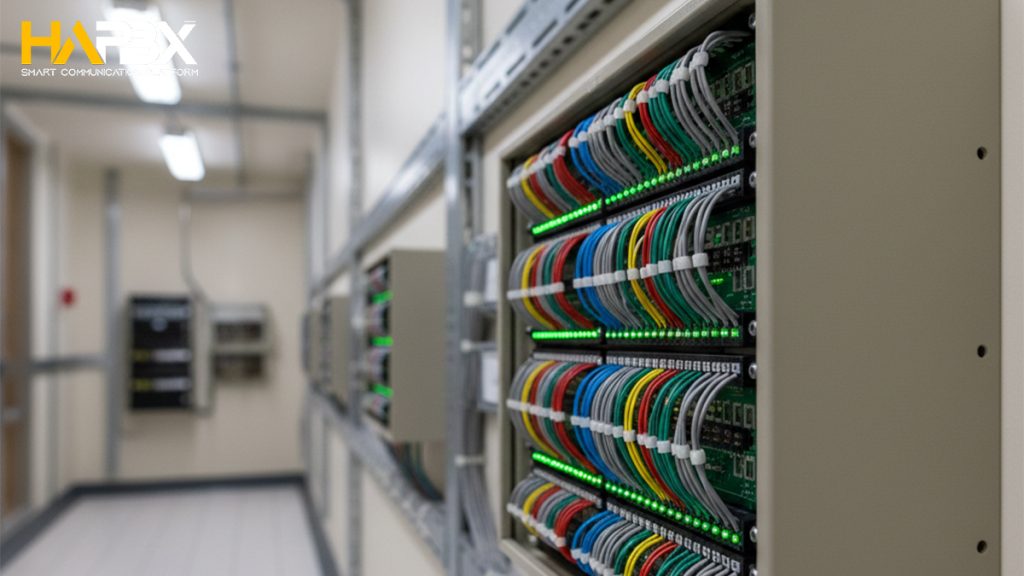
A PBX system works by performing the same core role once handled by human telephone operators – but in an automated, digital, and far more efficient way. Instead of manually connecting calls through physical switchboards, a modern PBX automatically receives, routes, and manages calls within a business and between the business and external networks.
At a basic level, a PBX takes one or more incoming phone lines connected to the business and divides them into multiple internal extensions. Each employee or device is assigned an extension, allowing internal calls to be placed directly without using the public telephone network. When an external call comes in, the PBX answers it first and then routes the call to the correct extension based on predefined rules, menus, or user input.
The call flow typically works as follows:
incoming calls reach the PBX → the PBX analyzes routing logic (such as IVR menus, extensions, or call queues) → the call is delivered to the intended user or group.
For outgoing calls, the process works in reverse, with the PBX selecting the appropriate external line or VoIP route before completing the call.
Beyond basic call switching, modern PBX systems support a wide range of automated features that enhance business communication. These include call waiting, auto-attendants, voicemail, music or messages on hold, and advanced routing tools such as find-me-follow-me, which ensure calls reach mobile or remote employees. Because all call handling is centralized within the PBX, businesses gain faster connections, better call control, and a more professional calling experience.
Core Functions of a PBX System
A PBX – Private Branch Exchange system is designed to centralize and manage all incoming and outgoing business calls while reducing the need for multiple public phone lines. By splitting one or more external lines into multiple private internal extensions, a PBX allows employees to communicate internally for free and enables customers to reach anyone in the organization through a single main phone number.
At its foundation, a PBX performs four essential call-processing functions.
- Establishes connections between two endpoints, whether internal users or external callers.
- Maintains active connections for the duration of the call.
- Terminates connections when the call ends.
- Collects call data to support reporting, billing, and performance analytics within the organization.
Beyond basic call switching, modern PBX systems handle a wide range of call management tasks. These include call blocking, call forwarding, call transfer, call waiting, and call logging – giving businesses full control over how calls are handled and routed. PBX platforms also support advanced customer-facing functions such as voicemail, call recording, Interactive Voice Response (IVR) menus, Direct Inward Dialing (DID), custom greetings, and music or messages on hold, all of which help create a more professional caller experience.
PBX systems also play a critical role in internal communication by enabling conference calls and seamless extension-to-extension dialing across teams and locations. Many modern PBX platforms further support VoIP communication and virtual presence, allowing businesses to assign local phone numbers in regions where they have no physical office – making “virtual offices” possible across cities or even countries.
Key Features of Modern PBX Systems
Centralized call management
- Manages and completes all incoming and outgoing calls across the organization
- Controls dialing permissions, including local and international calls
- Provides greater oversight, access control, and security
Multiple phone lines and extensions
- Supports multiple simultaneous incoming and outgoing calls on shared lines
- Allows departments to answer the same number without busy signals
- Uses internal extensions so employees can reach each other quickly without tying up public lines
Advanced call handling and control
- Call transfer between users or departments
- Call forwarding to extensions, external numbers, or voicemail
- Call waiting alerts for incoming calls during active conversations
- Call blocking and call logging for better control and tracking
- Caller ID to identify callers and review missed calls
Voicemail and message management
- Personal voicemail boxes with custom greetings
- Automatic voicemail routing after business hours or unanswered calls
- Message notifications via phone indicators, email, or mobile apps
- Easy access to stored messages from any device
Auto attendant and IVR (Interactive Voice Response)
- Automated receptionist to greet and guide callers
- Touch-tone menus for routing calls to the correct extension or department
- Voice-enabled IVR for faster and more intuitive navigation
- Reduces call handling time and improves customer experience
Conference calling and collaboration
- Supports multi-party conference calls through PBX-enabled phones
- Allows remote participants to join via mobile or desktop devices
- Enables seamless internal and external collaboration
Local presence and virtual offices
- Assigns local phone numbers regardless of physical location
- Makes calls appear local even when employees work remotely
- Supports distributed and multi-location teams
Connecting multiple offices
- Links multiple office locations into a single phone system
- Enables extension dialing and unified call management across sites
Fax and legacy support
- Connects traditional fax machines to the PBX
- Supports digital faxing over the internet in modern systems
Directory services
- Built-in directories within auto attendants or IVR menus
- Helps callers find individuals or departments efficiently
Unified Communications (UC) capabilities
- Integrates voice, video, messaging, and email in one platform
- Enables seamless switching between communication channels
Remote accessibility
- Access the PBX system via mobile and desktop applications
- Work from anywhere with an internet connection
CRM and third-party integrations
- Connects with popular CRM systems for better customer insights
- Improves call handling, tracking, and follow-up workflows
Scalability and flexibility
- Easily add or remove users, extensions, and features
- Scales with business growth without major infrastructure changes
PBX vs Other Business Phone Systems: Key Differences and Comparisons
PBX vs PABX
The terms PBX and PABX are often used interchangeably in business communications, which can cause confusion for those new to telephony systems. In practice, both refer to a private telephone network owned and operated by an organization to manage internal and external calls. The distinction between them is largely historical rather than functional.
PABX stands for Private Automatic Branch Exchange. The word “automatic” was introduced to differentiate newer systems from early PBX installations that relied on human operators to manually connect calls using physical switchboards. In those early setups, an operator played a central role in completing call connections. As technology advanced, computerized switching replaced manual intervention, making call routing faster, more reliable, and far more cost-effective.
In modern business environments, virtually all PBX systems are fully automated. Computer-based platforms now handle call routing, switching, and management without the need for human operators. As a result, the practical difference between PBX and PABX has disappeared. Today, the term PBX is commonly used as a general label for both manual and automated systems, while PABX simply emphasizes that call handling is automated.
In theory, a PBX could still rely on human assistance to complete call connections, whereas a PABX, by definition, does not. In reality, however, automation is now universal. Whether deployed on-premises or in the cloud, modern PBX systems operate automatically, and any human involvement is limited to support or customer service roles rather than call switching itself.
Ultimately, PBX and PABX describe the same concept: a privately controlled business phone network that enables efficient internal communication and cost-effective external calling. For most businesses today, the choice of terminology matters far less than the capabilities of the system itself – especially when using modern platforms such as HaPBX, where automation is standard by design.
PBX vs Key System
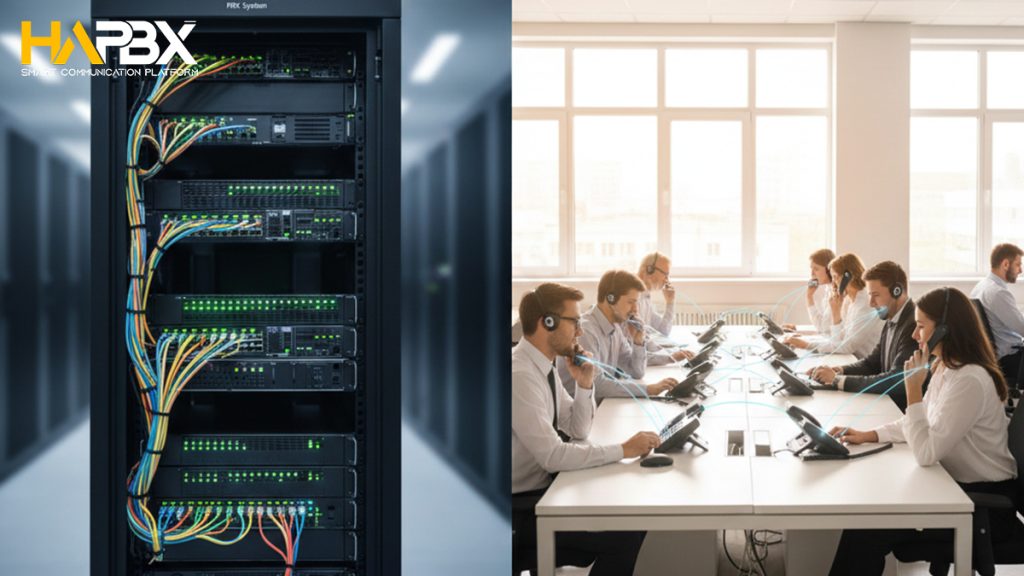
A Key System (Key Telephone System) is a basic business phone system designed primarily for small organizations with a limited number of users, typically fewer than 50. In a key system, each telephone is equipped with multiple physical buttons – often referred to as “keys” – that represent individual phone lines. Indicator lights on these buttons show which lines are currently in use, a setup commonly seen on traditional receptionist desks.
Unlike a PBX (Private Branch Exchange), a key system does not usually assign individual extensions or Direct Inward Dial (DID) numbers to users. Instead, incoming calls are often configured to ring all phones simultaneously, allowing any available employee to answer. Because of this shared-line approach, key systems offer limited call routing flexibility and are generally not designed for structured call flows or department-based communication.
Key systems are also limited in features compared to PBX platforms. Private voicemail boxes for individual users are less common, and advanced capabilities such as automated call routing, IVR menus, call queues, and analytics are typically absent or very basic. While key systems can be simple to operate and sufficient for very small teams, they do not scale well as a business grows.
PBX vs PSTN
To understand the difference between PBX and PSTN, it helps to look at what each term represents. A Public Switched Telephone Network (PSTN) is, by definition, a public telecommunications network. It connects landline phones around the world through a vast infrastructure of interconnected switches owned and operated by telecom providers or government-regulated entities. PSTN is designed for universal connectivity rather than business-specific communication needs.
A Private Branch Exchange (PBX), by contrast, is a private switching system owned and managed by an organization. While it also functions as an exchange of switches, a PBX serves a much smaller and more focused group of users – typically employees within a company. Its purpose is to manage internal communication efficiently while providing controlled access to external phone networks.
Because a PBX operates on a private network and at a smaller scale, it offers a richer set of communication features than traditional PSTN calling. These include call transferring and forwarding to support organizational workflows, hold functions with custom messages and menu navigation for a professional caller experience, and conference calling to enable group collaboration. These features go far beyond the basic point-to-point voice communication provided by the PSTN.
Why Choose One PBX Type Over Another? Factors That Influence the Decision
Analog/Digital vs IP PBX
When comparing analog or digital PBX systems with IP PBX, the primary difference lies in how voice traffic is transmitted. Analog systems rely on traditional phone wiring and operate independently from a company’s data network. In contrast, IP PBX systems use the same network infrastructure that supports email, web access, and other online services. Early IP-based systems sometimes suffered from call-quality issues, but modern networks and improved VoIP technologies have largely eliminated these concerns. One key advantage of IP PBX is consolidation: businesses can often manage voice, data, and collaboration tools through a single provider, simplifying billing, support, and system management.
Onsite PBX vs Offsite PBX
An onsite PBX gives businesses direct control over their phone system. Changes such as adding or modifying extensions can be handled internally, which appeals to organizations with skilled IT teams and strict control requirements. However, this approach also demands ongoing maintenance, hardware management, and higher technical expertise.
By contrast, an offsite or hosted PBX shifts most operational responsibility to a service provider. Configuration, updates, and maintenance are handled externally, reducing the workload on internal IT staff. While this limits direct system-level control, it significantly lowers complexity and operational risk. For many organizations, especially those without dedicated telecom specialists, hosted PBX solutions provide a more practical and scalable option.
Benefits of Using a PBX System for Businesses
A PBX system delivers significant advantages for businesses by improving communication efficiency, reducing costs, and enhancing customer experience. As customer expectations continue to rise and brand switching becomes more common, the ability to connect quickly and professionally across multiple channels has become a critical competitive factor.
One of the most immediate benefits of a modern PBX – especially cloud or IP-based systems – is cost efficiency. By consolidating phone lines and leveraging internet-based calling, businesses can significantly lower communication expenses. The reduced need for physical hardware and on-site infrastructure also leads to lower setup and maintenance costs, while predictable subscription pricing simplifies budgeting.
PBX systems also boost productivity through automation. Features such as auto-attendants, intelligent call routing, call queues, and voicemail reduce reliance on human receptionists and streamline routine tasks. Advanced PBX platforms can integrate with CRM systems and customer databases, enabling faster call handling, better context for agents, and more efficient workflows across sales, support, and billing functions.
Flexibility is another key benefit. PBX systems support remote work, mobile extensions, and multi-location operations, allowing employees to stay connected from anywhere with an internet connection. Calls can be forwarded easily to desk phones, mobile devices, or softphones, ensuring business continuity and responsiveness regardless of location.
From a customer-facing perspective, PBX systems help businesses project a professional image. Custom greetings, hold music, IVR menus, and consistent call handling create a polished and reliable experience for callers. At the same time, built-in analytics and web-based management tools provide visibility into call performance, enabling continuous improvement in service quality.
Finally, modern PBX platforms enhance security and scalability. Private communication networks, encryption, and centralized control protect voice traffic, while the ability to add or remove users quickly ensures the system grows alongside the business.
PBX Use Cases by Business Type
PBX systems are used across a wide range of business environments, with each deployment model fitting different organizational needs. In traditional analog PBX setups, limitations were clear: each analog line supported only one concurrent call and required a dedicated Direct Inward Dial (DID). This model worked for small offices but quickly became costly as organizations grew. The introduction of digital trunks improved capacity, while VoIP fundamentally changed how businesses scale voice communication.
For small businesses and home offices, hosted or cloud PBX systems are often the most practical choice. These solutions are easy to deploy, require minimal infrastructure, and typically come with preconfigured devices that connect directly to a cloud-based PBX. While many providers still charge per user or per extension, cloud PBX works well for small teams, temporary setups, or companies without dedicated IT staff.
Growing and mid-sized businesses benefit significantly from PBX systems by reducing the number of external phone lines required. For example, a company with 100 employees may only need 10 external lines if only a small group regularly communicates with the public network. All internal calls are handled by the PBX at no additional cost, enabling features such as paging, internal conferencing, and department-based routing.
For multi-location enterprises, PBX systems enable seamless internal communication across offices. Each site may have its own PBX instance, but private connectivity between systems allows employees in different cities – or even countries – to call each other directly without using the public telephone network. In these environments, virtual or IP-based PBX systems are often preferred, especially when rack space, hardware management, or network reliability are concerns.
Modern platforms like HaPBX are built to support this full spectrum of PBX use cases – from small teams to large, multi-location enterprises. By running on a dedicated, high-availability cloud infrastructure rather than shared PBX instances, HaPBX delivers consistent call quality, low latency, and strong system isolation regardless of scale. Businesses can start small without user limits, then grow seamlessly without redesigning their phone architecture, making HaPBX a flexible and future-ready PBX solution for organizations at every stage of growth.

How to Choose the Right PBX System for Your Business Needs
Choosing the right PBX system starts with a clear understanding of your communication needs and must-have features. Consider why you are upgrading or replacing your current system – whether to support remote work, improve customer experience, enhance security, or enable advanced capabilities such as call recording, analytics, or AI-driven features. Creating a simple list of essential, optional, and unnecessary features helps narrow down the PBX type that best fits your business.
Budget planning is the next critical factor. On-premises PBX systems require significant upfront investment in hardware, installation, and ongoing maintenance, while hybrid systems reduce initial costs but still involve managing legacy equipment. Cloud-based PBX systems eliminate capital expenses, offer predictable subscription pricing, and shift infrastructure management to the provider – making them easier to budget and scale over time.
It’s also important to align your PBX choice with long-term business goals. If growth, geographic expansion, or flexible work arrangements are part of your strategy, cloud PBX systems offer faster scaling and easier user management than on-premises solutions. Adding extensions or new locations can be done in minutes rather than requiring physical installation or service disruption.
Finally, evaluate your technical environment and infrastructure. Businesses with strong in-house IT teams and strict data control requirements may prefer on-premises or hybrid models, while organizations with remote teams or limited infrastructure typically benefit more from cloud PBX. Once you’ve identified the right type, compare providers carefully – request demos, review support models, and involve key stakeholders before making a final decision.
Setting Up and Implementing a PBX System Step by Step
The process of setting up a PBX system depends heavily on the deployment model you choose. Traditional on-premises PBX systems require significantly more time, physical infrastructure, and technical expertise than modern cloud-based alternatives, and implementation is rarely as simple as plugging in hardware and making calls.
With an on-premises PBX, businesses must install dedicated hardware in a server room or wiring closet, connect analog or digital phone lines, configure extensions and call features, and manually set up each desk phone. Testing, maintenance, software updates, and troubleshooting remain ongoing responsibilities for internal IT teams. While this approach offers direct system control, it also increases operational complexity and long-term cost.
Cloud-based PBX systems take a very different approach. Instead of installing hardware, users and devices connect to a fully managed PBX platform over the internet using VoIP and SIP trunking. New users, numbers, and call rules can be added or changed through a web-based portal, without rewiring offices or interrupting operations. This makes it easier to support remote teams, multiple locations, and changing call volumes.
The goal of implementing a PBX is to create a centralized business phone system that adapts to how an organization works. Modern cloud platforms like HaPBX achieve this by allowing businesses to deploy quickly, manage the system online, and scale usage up or down as needed – without the hardware burden of traditional PBX systems.
PBX System Setup in 2026: Build Your Own or Move to HaPBX?
Why HaPBX Is a Preferred Choice for Modern Businesses
HaPBX is widely adopted because it removes the most common limitations of traditional PBX and shared VoIP systems. Instead of relying on self-hosted servers or multi-tenant setups, HaPBX operates on a dedicated, global cluster infrastructure, ensuring high availability and near-zero downtime even when individual nodes fail. This design delivers consistently low latency (around 50ms) and stable call quality, which is critical for business-critical communications.
Another key reason businesses choose HaPBX is its scaling model without per-user or per-extension limits, which eliminates the common cost traps of traditional PBX and VoIP systems. Companies can add new teams, departments, or locations freely without unexpected per-seat fees or hidden expansion costs, while still supporting 100–200 concurrent calls on a single deployment. With predictable pricing, strong security through traffic and data separation, and enterprise-grade reliability, HaPBX delivers a cost-efficient PBX solution that scales smoothly as organizations grow – without financial surprises.
PBX FAQs
What does PBX mean?
PBX is an abbreviation for Private Branch Exchange, a term used to describe private phone systems operated by businesses.
How does a PBX system operate?
A PBX works by routing calls between phones within the same organization using internal extensions. When calls need to reach external numbers, the PBX connects to public networks or the internet.
With virtual and cloud-based PBX systems, teams can communicate across different offices or locations, and external calls are handled through VoIP technology, enabling internet-based voice communication.
How much does a PBX system cost?
The cost of a PBX depends heavily on the deployment model. A traditional on-premises PBX often requires a large upfront investment – sometimes exceeding $10,000 – with additional costs for hardware, installation, and copper phone lines.
Cloud-based PBX systems require far less initial spending. Most providers use a subscription model, typically charging per user per month, with entry-level plans commonly starting around $15–$25 per user.
What is the difference between PBX and VoIP?
A PBX is a phone system architecture, while VoIP (Voice over Internet Protocol) is the technology that transmits voice calls over the internet.
Traditional PBX systems relied on analog wiring, whereas modern PBX platforms often incorporate VoIP to enable digital, internet-based calling along with additional communication features.
What equipment is required for a PBX system?
Hardware requirements vary by PBX type. An on-premises PBX needs physical infrastructure such as a PBX server, wiring, phone connectors, and dedicated phone lines for extensions.
A cloud PBX, by contrast, only requires internet access and compatible devices. Users can make and receive calls using IP phones, mobile apps, desktop softphones, or browser-based calling tools.
Is there a difference between VoIP PBX and IP PBX?
No. VoIP PBX and IP PBX refer to the same type of system. Both describe PBX platforms that route calls over the internet using Internet Protocol rather than traditional phone lines. The terms are commonly used interchangeably.
Do IP phones require a PBX?
IP phones can function independently for basic calling, but they deliver their full value when connected to a PBX. A PBX provides centralized control, call routing, extensions, and advanced features that standalone IP phones cannot offer on their own.
What has replaced traditional PBX systems?
Traditional analog PBX systems have largely been replaced by PABX, IP PBX, and cloud-based PBX solutions. While the term “PBX” is still widely used, modern systems now support much more than voice calls – including video conferencing, messaging, virtual receptionists, and web-based management tools – making them ideal for today’s remote and hybrid work environments
Summary: Is a PBX System Right for Your Business?
A PBX system remains one of the most effective foundations for modern business communication. Whether your organization needs better internal coordination, professional call handling, support for remote teams, or a scalable way to manage growth, PBX solutions offer the flexibility and control that traditional phone systems cannot match. With today’s cloud-based and IP-driven PBX platforms, businesses no longer have to choose between functionality and simplicity – they can have both.
If you’re considering upgrading or moving away from legacy phone systems, choosing the right PBX provider is just as important as choosing the technology itself. HaPBX delivers a modern, cloud-first PBX built on dedicated instance, high-availability infrastructure – designed to scale seamlessly as your business grows, without user limits or performance trade-offs.
Ready to see how a modern PBX should perform?
Explore HaPBX and request a free demo to experience secure, reliable, and flexible business communications – built for today and ready for the future.