
Private Automatic Branch Exchange (PABX) has long been the backbone of business phone systems, enabling internal extensions and professional call management. In this guide, we explain how PABX works, its strengths and limitations, and how modern Cloud PBX solutions – like HaPBX – are transforming business communication.
What Is a PABX System?
What is PABX
PABX (Private Automatic Branch Exchange) is a private telephone system that enables businesses to manage internal and external calls through a single centralized platform. It allows employees to call each other using extension numbers without connecting to the public telephone network, while automatically routing incoming and outgoing calls to external lines.
Instead of using multiple individual phone lines, a PABX operates under one main business number with multiple extensions, helping reduce communication costs. The “Automatic” in PABX refers to software-based call switching, which replaces manual switchboard operators used in older PBX systems.
Modern PABX systems typically include features such as call forwarding, voicemail, call transfer, auto-attendant, and conference calling. While traditionally deployed on-premises, many PABX solutions today use VoIP or cloud-based technology, offering greater flexibility and scalability for growing businesses.
Evolution of PABX
PABX systems have evolved alongside telecommunications technology, moving from hardware-heavy setups to flexible, software-driven platforms.
Analog PABX
Early PABX systems, developed in the late 19th century, relied on analog signals and copper wiring connected to the public switched telephone network (PSTN). While they were reliable and relatively easy to maintain, they offered limited features, suffered from signal degradation, and were difficult to scale or reconfigure.
Digital PABX
Introduced in the 1970s, digital PABX systems replaced analog signaling with digital transmission. This shift enabled support for more extensions, improved call quality, advanced call routing features, and easier system expansion. Digital PABX became the standard for many businesses for decades.
Cloud-Based PABX
With the adoption of VoIP technology, PABX systems moved to the cloud. Cloud-based PABX eliminates on-premise hardware, uses internet connectivity, and allows businesses to scale extensions and lines on demand. It also supports modern communication needs, including multimedia and remote work, making it the preferred model for today’s businesses.
How Does a PABX System Work? How to set it up?
How it works?
A modern PABX system functions as a company’s internal telephone exchange, automatically routing calls between employees and connecting the business to external phone networks when needed.
Today’s PABX systems are largely IP-based (IP PABX), using VoIP and SIP protocols to transmit calls over a local area network (LAN) or the internet instead of traditional copper lines. Each employee is assigned an extension linked to a desk phone, softphone, or mobile device, allowing internal calls to stay within the company network without using public lines.
What is VoIP? The Complete Guide to High-Availability Internet Calling
Here’s how it works in practice:
- Internal calls: When an employee dials an extension, the PABX routes the call directly to the correct device inside the organization.
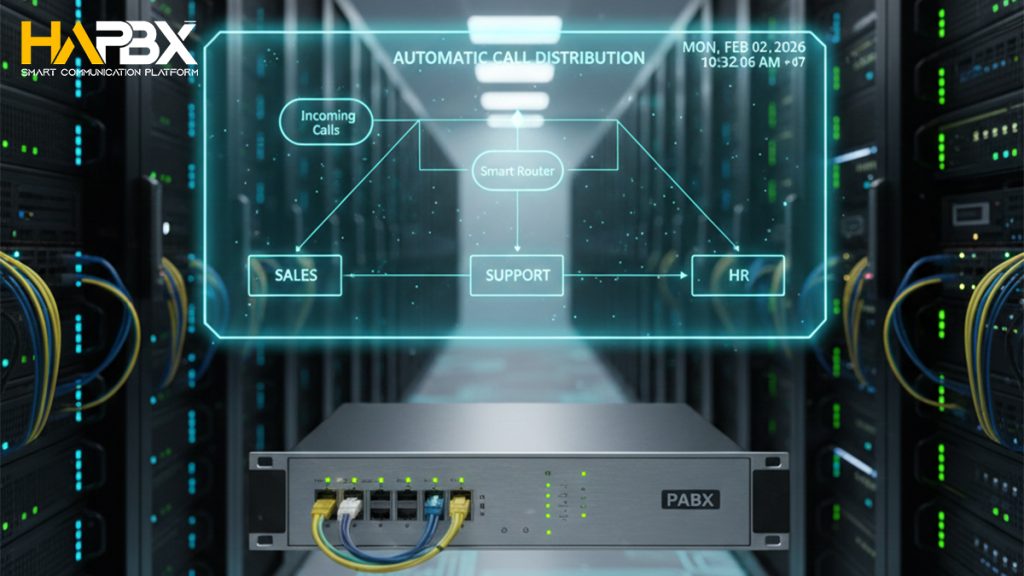
- Incoming calls: External calls are received by the PABX and routed based on predefined rules – often through an auto-attendant or IVR menu, then transferred to the appropriate person or department.
- Outgoing calls: Employees share a pool of external lines (trunks), eliminating the need for a dedicated public line for each user.
- Call management: The system handles voicemail, call forwarding, call queues, call recording, conference calls, and busy status indicators automatically in the background.
With IP and cloud technologies, modern PABX systems also support advanced automation – such as time-based call routing, availability syncing, and using business extensions on laptops or mobile phones – making them far more flexible than traditional, hardware-only setups.
How to set it up?
Setting up a PABX system depends largely on whether the solution is on-premise or cloud-based (hosted).
On-premise PABX setup
A traditional on-premise PABX requires installing physical hardware at your business location. This typically includes a central PABX unit, desk phones, and connections to external phone lines from a telecom provider. The system must be wired, configured, and maintained internally, which usually requires an IT team or professional installer – especially for larger offices or complex call routing needs.
Cloud-based (hosted) PABX setup
A cloud-based PABX runs over the internet and removes the need for on-site hardware. Businesses simply use VoIP desk phones or softphones on computers and mobile devices. The service provider hosts and maintains the infrastructure, while setup involves creating user accounts, assigning extensions, and defining call flows. This approach allows faster deployment, easier scaling, and significantly less technical overhead.
In practice, businesses choose between on-premise and hosted PABX based on control, cost, scalability, and IT resources – though cloud-based PABX has become the preferred option for organizations seeking flexibility and rapid setup.
Key Features of a Modern PABX System
A modern PABX system is designed to automate call handling, improve efficiency, and support growing business communication needs. While features vary by provider, most modern PABX solutions include the following core capabilities:
Automated Call Handling
- Auto-attendant / IVR: Greets callers with recorded messages and routes them to the correct extension or department.
- Call routing: Directs calls based on predefined rules such as department, time of day, or availability.
- Ring groups: Rings multiple extensions sequentially or simultaneously to ensure calls are answered.
Internal Communication & Call Control
- Extensions: Assigns internal numbers to users or departments for fast, free internal calls.
- Call transfer and call hold: Allows seamless handoff of live calls without disconnecting the caller.
- Conference calling (three-way or multi-party): Supports internal meetings and client collaboration.
Availability & Continuity
- Call forwarding: Redirects calls to another extension, mobile phone, or voicemail when users are unavailable.
- Voicemail: Captures missed calls, often with voicemail-to-email delivery.
- Do Not Disturb (DND): Blocks calls when users are busy or unavailable.
- Automatic ring back: Notifies users when a previously busy line becomes available.
Monitoring, Control, and Security
- Call recording: Records calls for training, quality assurance, or compliance purposes.
- Call logs and reporting: Tracks call history and activity for better visibility
- Call blocking and access controls: Helps protect against unwanted or unauthorized calls.
Pros, Cons, and Business Benefits of PABX Systems
Pros
A PABX system can be a strong foundation for business communication, especially for organizations that want structured, professional call handling.
- Cost savings: External phone lines are shared across users, eliminating the need for a separate public line for each employee and reducing telecom expenses.
- Streamlined internal communication: Extension-based dialing makes it fast and easy for teams to connect internally at no additional cost.
- Professional call management: Features such as auto-attendant, call forwarding, voicemail, call recording, and call transfer improve how businesses handle customer and partner calls.
- Scalability: PABX systems can grow with the business, adding extensions and features as needed – particularly in cloud-based deployments.
- Centralized management: Administrators control call routing, extensions, and voicemail settings from a single interface.
- System integration: Many modern PABX platforms integrate with CRM and business applications, helping teams manage customer interactions more effectively.
Cons
Despite their benefits, PABX systems also have some limitations to consider:
- Upfront investment: Traditional on-premise PABX systems can involve significant costs for hardware, wiring, and professional installation.
- Ongoing maintenance: On-premise setups require regular technical support, updates, and troubleshooting.
- Learning curve: Employees may need time and training to fully use advanced features, especially in more complex configurations.
Overall, the advantages of PABX often outweigh the drawbacks – particularly when businesses choose modern, cloud-based PABX solutions that minimize cost and maintenance while maximizing flexibility.
PABX vs PBX: Differences, Use Cases, and Which Fits Your Business
The terms PBX and PABX are often used interchangeably, but they are not exactly the same. Understanding the difference helps businesses choose the right communication system – especially when evaluating modern solutions.

PBX Phone System: Complete Guide for Business Communication (2026)
What PBX and PABX Have in Common
Despite differences in automation and technology, PBX and PABX share the same foundational purpose: providing a private telephone exchange for organizations. Based on common industry usage and competitor descriptions, both systems offer the following core similarities:
- Private internal network: Both PBX and PABX operate as private phone systems within a business, allowing employees to communicate internally using short extension numbers instead of public phone lines.
- Internal and external call handling: Both systems manage internal calls between extensions and connect the organization to the public telephone network for inbound and outbound external calls.
- Shared external lines: Rather than assigning one public line per employee, PBX and PABX systems allow multiple users to share a limited number of external (trunk) lines, significantly reducing telephony costs.
- Centralized call switching: Both act as a central switching point that routes calls between internal extensions and external numbers based on predefined configurations.
- Standard business calling features: PBX and PABX systems typically support essential functions such as voicemail, call transfer, call forwarding, call holding, and conference calling.
- Business-scale communication: Both are designed to support organizations that require multiple phone users, departments, or call volumes beyond what individual landlines can efficiently handle.
In short, PBX and PABX systems are built on the same core concept – a centralized, private business phone exchange – while the key distinction lies in how calls are switched and managed, rather than what the systems are fundamentally designed to do.
Key Differences Between PBX and PABX
| PBX | PABX | |
| Full name | Private Branch Exchange | Private Automatic Branch Exchange |
| Operation | Traditional PBX systems relied on manual switchboard operators to connect calls | PABX systems are fully automatic, using software-based switching |
| Technology | Typically refers to legacy or analog systems | Refers to modern, automated systems, often using digital, VoIP, SIP, or cloud-based technology |
| Features and efficiency | PABX systems offer more advanced features, faster call handling, and greater scalability than traditional PBX setups. | |
Use Cases and Which One Fits Your Business
- Traditional PBX: Mostly obsolete and rarely deployed today, suitable only for very limited or legacy environments.
- PABX: The practical choice for modern businesses, supporting automation, cost savings, remote access, and cloud deployment.
In practice, when businesses say “PBX” today, they usually mean PABX. However, PABX is the more accurate term for describing modern, automated business phone systems designed for today’s communication needs.
Moving from PABX to Cloud PBX: When and Why
For many businesses, moving from a traditional PABX to a Cloud PBX is a natural next step. As communication needs grow and work becomes more flexible, cloud-based systems offer simplicity, scalability, and lower operational overhead compared to on-premise setups.
When Does It Make Sense to Move to the Cloud?
Switching to Cloud PBX is worth considering when:
- Your current PABX hardware is aging or costly to maintain
- You need to support remote or hybrid teams
- Scaling users or extensions has become slow or expensive
- You want predictable costs and fewer IT dependencies
Why Move from PABX to Cloud PBX?
Cloud PBX solutions simplify infrastructure by removing on-site hardware, reduce maintenance costs, and allow businesses to manage their phone system through a web-based dashboard. They also make it easier to add users, deploy new features, and ensure business continuity.
How to Transition from PABX to Cloud PBX
A typical migration involves the following steps:
- Evaluate your current system: Review the number of users, extensions, call volumes, and features you rely on. This helps define your requirements.
- Choose a provider: Compare providers based on reliability, feature set, support quality, scalability, and pricing.
- Check internet readiness: Ensure you have a stable, high-quality internet connection. In some cases, prioritizing voice traffic with a dedicated network or VLAN is recommended.
- Select devices: Decide whether to use VoIP desk phones, softphones, mobile apps, or a hybrid setup. Legacy systems may require adapters.
- Port existing numbers: Most providers allow you to keep your current business numbers and will guide you through the porting process.
- Configure the system: Set up users, extensions, call routing, IVR, and business rules via an online management portal.
- Train your team: Provide basic training so employees can confidently use the new system from day one.
With the right planning and provider, migrating from PABX to Cloud PBX is a smooth process that delivers immediate improvements in flexibility, reliability, and overall business communication.

HaPBX: A Cloud-Based Alternative to Traditional PABX Systems
HaPBX is a cloud-based PBX platform designed to overcome the limitations of traditional on-premise PABX systems while preserving their core business calling functions. Instead of relying on physical hardware installed at the office, HaPBX operates entirely on cloud infrastructure, delivering enterprise-grade reliability, flexibility, and performance.
Unlike legacy PABX setups that require upfront investment, ongoing maintenance, and IT involvement, HaPBX removes hardware complexity. Businesses manage users, extensions, and call flows through a centralized online dashboard, while HaPBX handles system availability, updates, and security in the background.
Key advantages of HaPBX over traditional PABX include:
- True cloud deployment: No on-site PABX hardware or manual upgrades required
- High availability architecture: Designed for continuous operation and minimal downtime
- Easy scalability: Add or remove users and extensions instantly without infrastructure changes
- Remote-ready communication: Use business extensions on desk phones, computers, or mobile devices
- Lower total cost of ownership: Reduced capital expenditure and predictable operating costs
By combining the familiarity of PABX functionality with the power of modern cloud technology, HaPBX provides a future-ready communication solution that supports growth, mobility, and business continuity – without the constraints of traditional PABX systems.
FAQs
Are PBX and PABX the same?
PBX and PABX refer to the same core concept – a private business phone system – but PABX is the automated form of PBX. Traditional PBX systems relied on manual call handling, while PABX uses software-based switching to route calls automatically. Today, most systems described as “PBX” are technically PABX.
How many phone lines can a PABX support?
The number of lines depends on the system design and deployment model. Traditional PABX setups commonly connect 20-30 external lines, which can support hundreds of internal extensions and concurrent calls. Cloud-based and IP PABX systems can scale well beyond this, often limited only by network capacity and service plans.
Is a PBX or PABX system analog or digital?
Both analog and digital versions exist. Older PBX/PABX systems use analog technology, while modern systems are digital or IP-based. When a system uses an IP address and VoIP technology, it is typically referred to as an IP PBX or IP PABX, offering greater flexibility and scalability than legacy analog systems.
Conclusion: Is PABX Still Relevant for Modern Businesses?
PABX systems have played an important role in business communication for decades, providing structured call handling, internal extensions, and cost-efficient use of phone lines. For organizations with stable on-site teams and existing infrastructure, traditional PABX can still function as a reliable solution.
However, modern business communication has changed. Remote work, rapid scaling, higher availability requirements, and the need for simpler management have exposed the limitations of hardware-based PABX systems. Maintenance overhead, limited flexibility, and slower expansion make traditional PABX less suited to today’s dynamic business environment.
This is where cloud-based PBX solutions become the logical evolution. Cloud PBX delivers the same core capabilities as PABX – call routing, extensions, voicemail, and professional call management – while adding scalability, mobility, and resilience without the burden of physical infrastructure.
HaPBX offers a modern Cloud PBX platform designed for businesses that want to move beyond traditional PABX limitations. With high availability architecture, centralized management, and support for remote and hybrid teams, HaPBX enables organizations to communicate efficiently, scale effortlessly, and stay ready for the future.
Looking to modernize your business phone system
Explore HaPBX Cloud PBX and discover how a cloud-first approach can simplify communication, reduce costs, and support your business as it grows.